
CartLane – WooCommerce Side Cart, Upsells & Order Bumps
Turn Your WooCommerce Side Cart Into a Revenue Engine
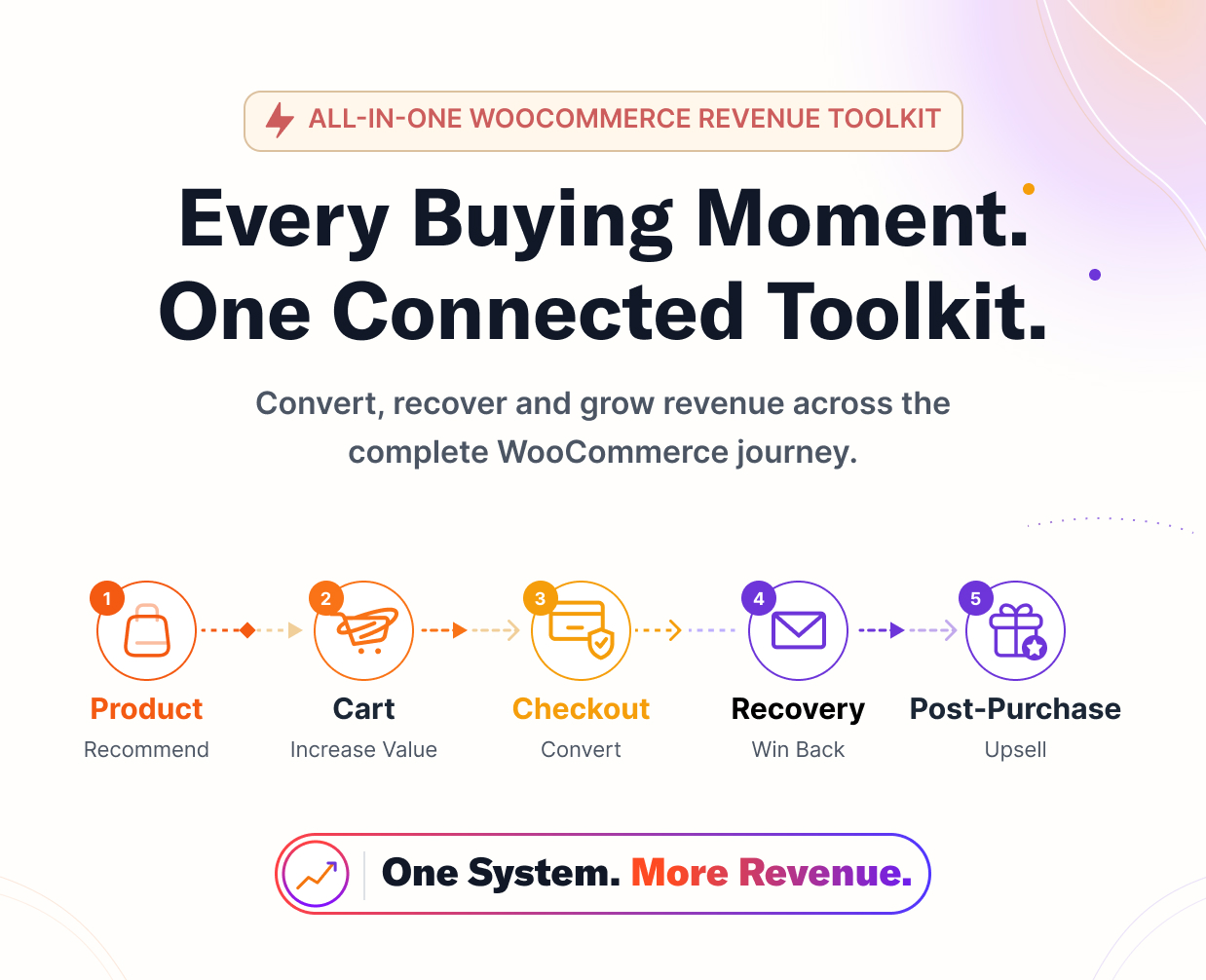
CartLane Pro helps WooCommerce stores increase order value and recover more purchase intent with a connected conversion system built around the shopping journey.
Start with a fast AJAX Side Cart, free-shipping progress, coupons, live totals, and relevant Smart Offers. Then expand into checkout offers, order bumps, abandoned-cart recovery, post-purchase upsells and downsells, visual funnels, A/B testing, targeted pricing, and connected conversion analytics.
One plugin ecosystem. One customer journey. More opportunities to convert.
Why Store Owners Choose CartLane Pro
- Increase average order value with Side Cart recommendations, checkout add-ons, order bumps, and post-purchase offers.
- Recover lost purchase intent with abandoned-cart capture, recovery emails, and secure restore-cart links.
- Build better buying journeys with visual upsell and downsell funnels.
- Run targeted promotions with Dynamic Pricing, BOGO, quantity, role, product, and category rules.
- Improve decisions with real store data using offer, recovery, order, revenue, and conversion activity inside the CartLane workspace.
CartLane Pro extends CartLane Free. Install the free CartLane plugin first, then activate CartLane Pro to unlock the advanced commercial modules.
1. Start With a Faster WooCommerce Side Cart
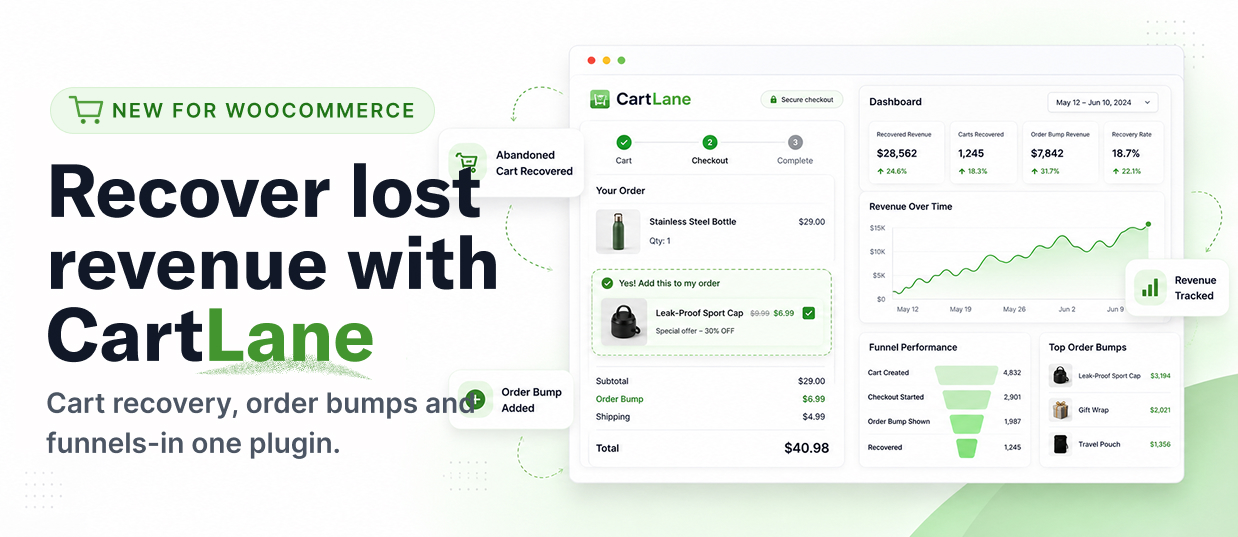
The CartLane Side Cart keeps shoppers in the buying flow instead of sending them through unnecessary page reloads. Customers can review products, update quantities, apply coupons, see totals, track a free-shipping goal, and continue to checkout from one focused cart drawer.
- Fast AJAX cart drawer
- Quantity controls without page reloads
- Coupon apply and removal
- Live subtotal, discount, shipping, and total updates
- Free-shipping progress messaging
- Responsive desktop and mobile experience
- Smart Offer recommendations inside the cart
2. Increase Order Value Before Checkout
CartLane Pro gives you multiple ways to present relevant products while buying intent is still active.
Smart Offers
Create product recommendation campaigns for different points in the buying journey. Choose products manually or use product, category, cart, WooCommerce upsell, and cross-sell context depending on the campaign.
- Product-page recommendations
- Side Cart recommendations
- Checkout add-ons
- Post-purchase recommendations
- Product, category, cart, customer, and schedule targeting
- Campaign priority and product limits
- Impression and acceptance tracking
Order Bumps
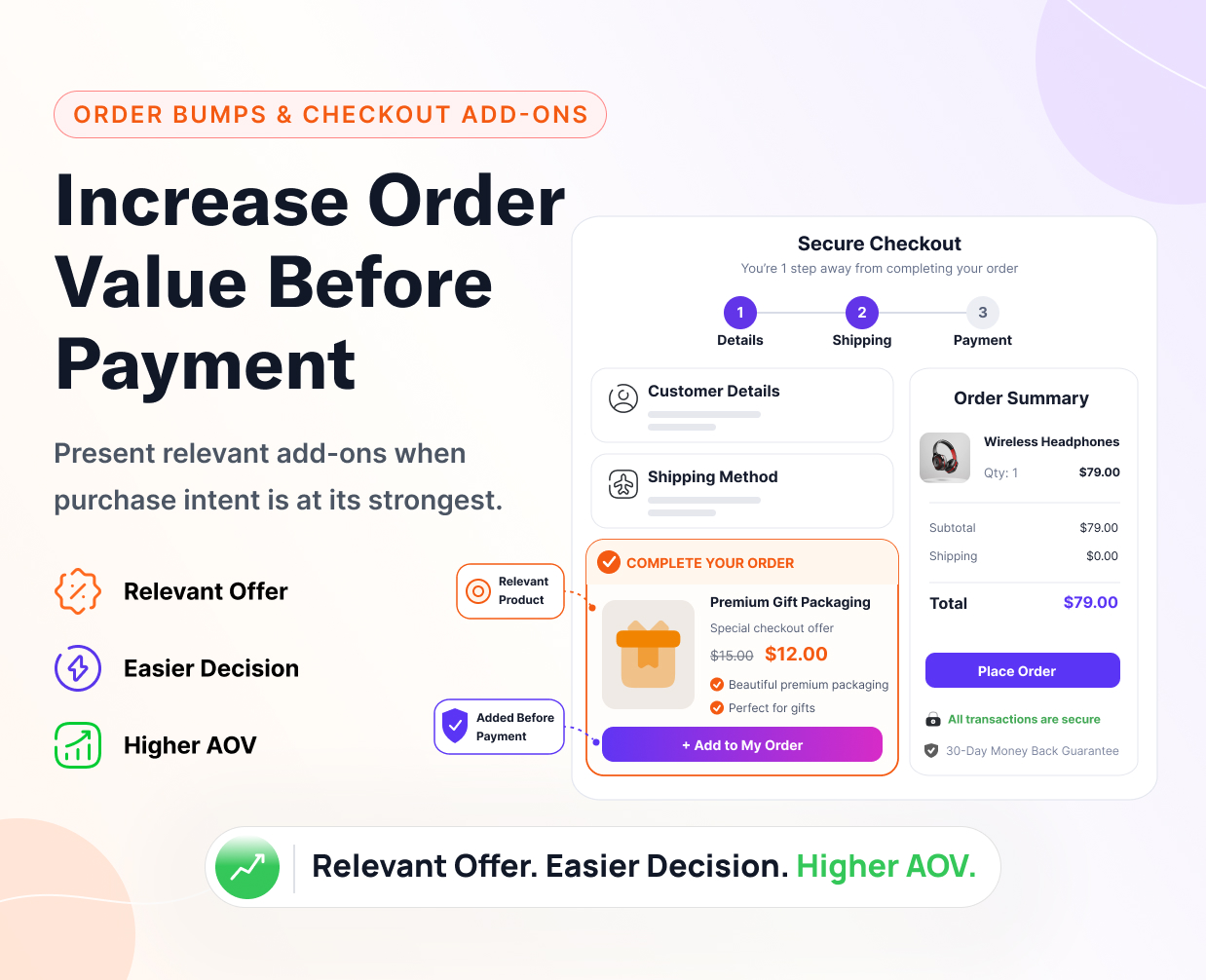
Present focused complementary offers during checkout and let shoppers add them without leaving the purchase flow.
- WooCommerce product-based offers
- Product, category, and cart targeting
- Multiple offer presentation templates
- Acceptance and revenue event tracking
- Pro removes the Free active-campaign restriction
Frequently Bought Together
Show complementary products directly on product pages so shoppers can add relevant items while their purchase intent is highest.
3. Recover Abandoned WooCommerce Carts
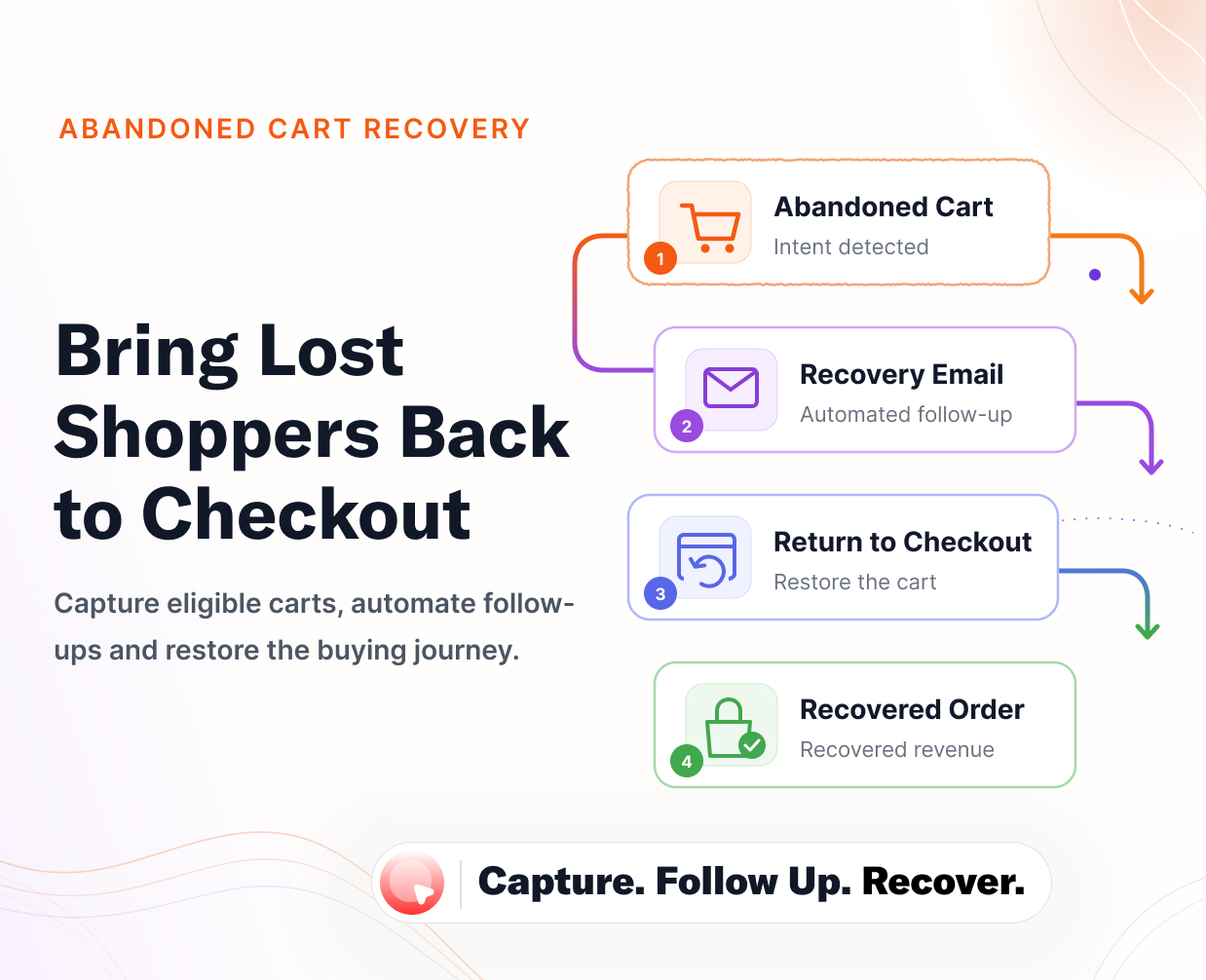
When an eligible shopper provides an email address but leaves before completing checkout, CartLane can retain the cart session and run your configured recovery workflow.
- Guest and registered-customer cart capture
- Configurable recovery email sequence
- Secure restore-cart links
- Email preview and test-email workflow
- Cart, customer, product, date, and recovery-status visibility
- Unsubscribe handling and scheduled cleanup
- Abandoned-cart and recovered-revenue reporting
Recovery email delivery depends on your WordPress email configuration. A properly configured transactional email or SMTP provider is recommended for production stores.
4. Grow Revenue After Checkout
The buying journey does not need to end when the first order is placed. CartLane Pro can present targeted post-purchase upsell and downsell offers for related products, upgrades, bundles, or special discounts.
- Upsell and downsell offer types
- Product and discount configuration
- Trigger, display, payment, and schedule controls
- Offer-session and acceptance tracking
- Viewed, accepted, declined, and payment-failure visibility
- Gateway-aware readiness checks and safe fallback behavior
Payment compatibility notice: post-purchase charging depends on the active payment gateway plugin, tokenization support, saved payment method, order state, and the available CartLane adapter. CartLane checks readiness and fails safely when a supported charge path is not available.
5. Build Visual Upsell and Downsell Funnels
Connect checkout, upsell, and downsell steps into a clear customer journey instead of managing isolated campaign screens.
- Visual workflow canvas
- Upsell and downsell nodes
- Accept and decline branches
- Linked offer validation
- Post-purchase routing
- Funnel activation and management
6. A/B Test Post-Purchase Offers
Compare two offer variations and use their performance data to make a better campaign decision.
- Variant A and Variant B
- Test copy, product, discount, and template settings
- Views, accepts, declines, revenue, and conversion metrics
- Running and completed experiment states
- Manual winner selection
7. Dynamic Pricing, BOGO, and Quantity Campaigns
Run flexible WooCommerce promotions without maintaining a separate pricing stack.
- Percentage discounts
- Fixed discounts
- Buy One Get One rules
- Quantity-tier pricing
- Role-based pricing
- Minimum quantity and subtotal conditions
- Product and category targeting
- Start and end scheduling
8. Understand What Happened Across the Customer Journey
CartLane connects conversion activity to the same WooCommerce journey so you can investigate what happened before and after the order.
- Visit-scoped customer-journey correlation
- Cart, checkout, payment, order, recovery, and post-purchase context
- Upsell and downsell outcome visibility
- Recommendation impression and acceptance tracking
- Order and revenue context
- Related events and investigation details
Built-in CartLane workflow and analytics records are stored in your WordPress database. No separate analytics SaaS account is required for the included reports.
Modern WooCommerce Admin Experience
CartLane Free and Pro use the same unified admin workspace, so Side Cart, checkout, recovery, offers, funnels, pricing, analytics, integrations, and commercial controls feel like one product instead of a collection of unrelated plugins.
- Unified CartLane navigation
- Focused campaign builders
- Responsive admin interface
- Shared design system and interaction patterns
- Translation-ready user interface
- WordPress capability and REST permission checks
CartLane Free vs CartLane Pro
| Capability | CartLane Free | CartLane Pro |
|---|---|---|
| AJAX Side Cart | Included | Extends it with advanced Smart Offer use cases |
| Free Shipping Progress | Included | Uses the same Side Cart foundation |
| Checkout Optimization | Included | Adds advanced offer opportunities |
| Order Bumps | Included with Free plan limits | Higher commercial campaign entitlement |
| Abandoned Cart Recovery | Included | Works inside the shared CartLane journey and analytics foundation |
| Smart Offers | Basic Side Cart campaign capability | Advanced recommendation sources, targeting, and placements |
| Dynamic Pricing / BOGO | Basic campaign capability | Advanced commercial campaign capability |
| Funnels | Basic linear funnel capability | Advanced branching and post-purchase journeys |
| Post-Purchase Upsells / Downsells | Not included | Included |
| A/B Testing | Not included | Included |
| Commercial Updates and Pro Integrations | Not included | Included with an active license |
Requirements and Compatibility
- WordPress 6.3 or newer
- PHP 8.0 or newer
- WooCommerce 7.0 or newer
- CartLane Free 1.1.8 or newer
- Tested with the current CartLane 1.1.8 / CartLane Pro 1.1.0 release baseline
Important: CartLane Pro is not a standalone plugin. Install and activate CartLane Free before activating CartLane Pro.
Before enabling cart, checkout, pricing, funnel, upsell, recovery, or payment workflows on a live store, test the complete purchase journey on staging with your active theme, taxes, shipping rules, coupons, caching, and payment gateways.
Licensing, Privacy, and Updates
CartLane Pro uses license activation to verify commercial entitlement and deliver eligible Pro updates. License requests may include license-related details such as the license key or purchase code, site URL, installation identifier, product identifier, plugin version, environment, activation identifier, and entitlement status.
WooCommerce products, cart contents, campaign settings, customer purchase data, orders, and local analytics are not sent to the licensing service as part of ordinary license verification.
Documentation and Support
Item support covers CartLane installation, license activation, documented configuration, and reproducible CartLane Pro defects. It does not include custom development, third-party plugin customization, theme-specific redesign, hosting configuration, or custom WooCommerce business logic.
Frequently Asked Questions
Does CartLane Pro work without CartLane Free?
No. CartLane Pro requires CartLane Free. The free plugin supplies the shared runtime, admin workspace, Side Cart, checkout controls, abandoned-cart recovery, analytics, and the shared conversion foundation.
Is the Side Cart included in CartLane Free?
Yes. The Side Cart is part of CartLane Free. CartLane Pro extends the same buying journey with more advanced Smart Offers, post-purchase workflows, funnels, experiments, pricing, and commercial capabilities.
Is abandoned-cart recovery included?
Yes. CartLane Free includes the abandoned-cart recovery foundation with eligible cart capture, recovery emails, secure restore-cart links, email testing, recovery status, and recovered-revenue reporting.
Can I create both upsell and downsell steps?
Yes. CartLane Pro supports both offer types and lets funnel branches route customers according to accepted or declined offers.
Does post-purchase charging work with every payment gateway?
No universal gateway claim is made. Compatibility depends on the exact payment plugin, tokenization support, saved payment method, order state, and CartLane adapter readiness. Test the complete workflow on staging before enabling it on a production store.
Where can Smart Offers appear?
Supported campaign contexts include product pages, the CartLane Side Cart, checkout, and post-purchase workflows. Active output depends on the selected campaign type, placement, targeting, and plan capability.
What happens if my Pro license becomes inactive?
CartLane Free continues to operate. Pro-only capabilities remain locked until a valid entitlement is restored. Shared CartLane data is not automatically deleted because a Pro license becomes inactive.
Is CartLane translation ready?
Yes. CartLane Free and CartLane Pro use dedicated WordPress text domains and include translation templates.
Version 1.1.0
- Refined the Pro Abandoned Cart Recovery workspace with cleaner campaign navigation, responsive performance states, and improved delivery and attribution reporting.
- Unified campaign and offer row actions with the shared accessible CartLane action system.
- Improved campaign performance inspection with date controls, revenue hierarchy, campaign drill-down, and delivery diagnostics.
- Added WooCommerce Checkout Blocks support for Pro Checkout Add-ons through the shared CartLane Store API integration.
- Updated the Pro dependency baseline to CartLane Free 1.1.8.
- Refined Funnel Builder creation, workspace, inspector, and revenue-step UX.
- Unified Pro Smart Offers, Pricing, Funnels, Analytics, Integrations, and management surfaces with the shared Free admin architecture.
- Moved commercial licensing to the packaged AnyLicense integration.
- Strengthened Free/Pro ownership boundaries, release determinism, marketplace audits, and regression coverage.
- Certified WooCommerce compatibility through version 11.0.
Build a Better WooCommerce Buying Journey
Start with a faster Side Cart. Add relevant offers before checkout. Recover shoppers who leave. Grow order value after purchase. Test what works. Run targeted promotions. Measure everything in one connected CartLane workflow.
Explore the CartLane Live Demo
Product images, sample orders, customer names, revenue values, and store content shown in preview images are demonstration data and are not included with the plugin.

